Why people ask “Are LinkedIn jobs legit?”
With millions of users, LinkedIn is both a goldmine for job-seekers and a target for scammers. On one hand you’ve got trustworthy employers posting real roles; on the other you’ll find outdated ads, copy-pastes, duplicate listings, and even fraudulent offers. Because some postings ask for money, look too good to be true, or come from anonymous senders, being cautious is simply smart practice.
Quick checklist: Is this LinkedIn job probably legit?
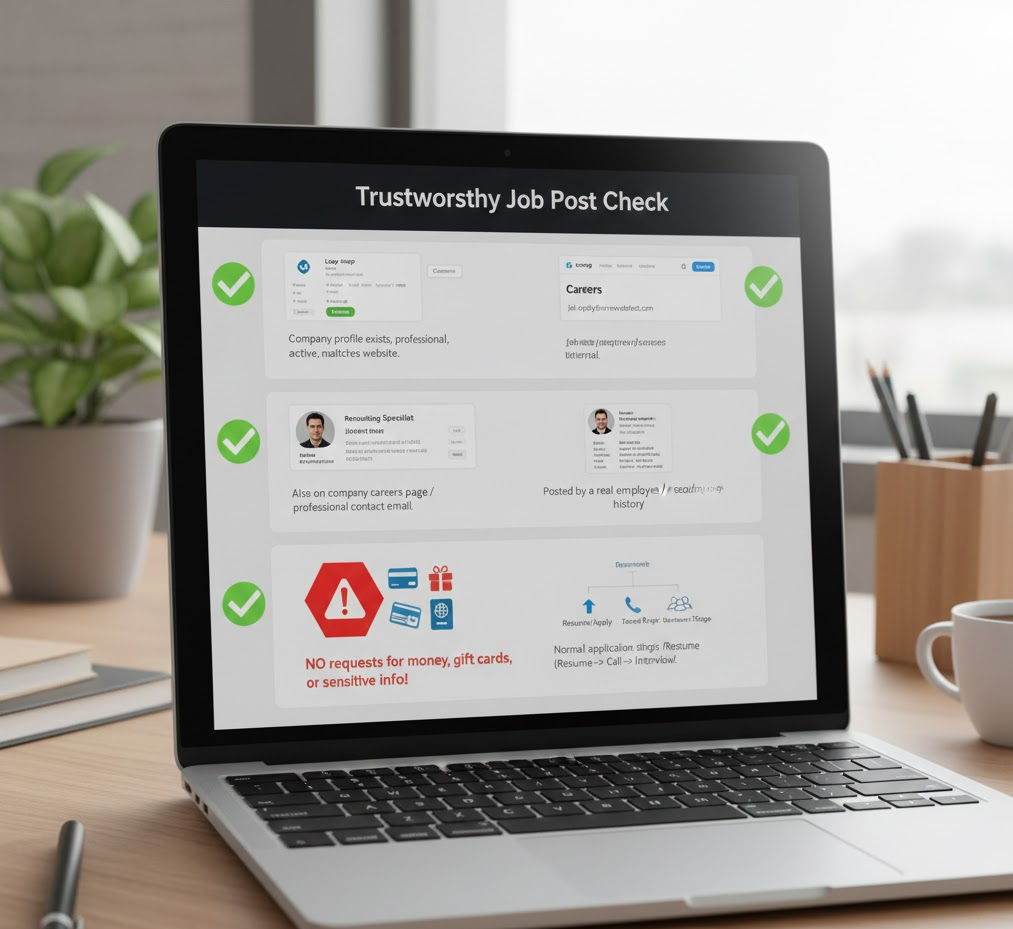
Here’s a fast way to check if a posting seems trustworthy:
The company profile exists, looks professional, has recent activity, and matches what you find on their website.
The job is also listed on the company’s own Careers page, or the contact email uses the company domain (for instance, @company.com).
The person who posted it is a real employee or recruiter, check their profile, work history, connections.
The application steps are normal: resume, perhaps a screening call, a proper interview stage.
Importantly: there is no request for your money, no gift card request, no sharing of extremely sensitive info early on (like bank account or passport copy).
Red flags: Signs a job might be suspicious
Here are the warning signs to watch for:
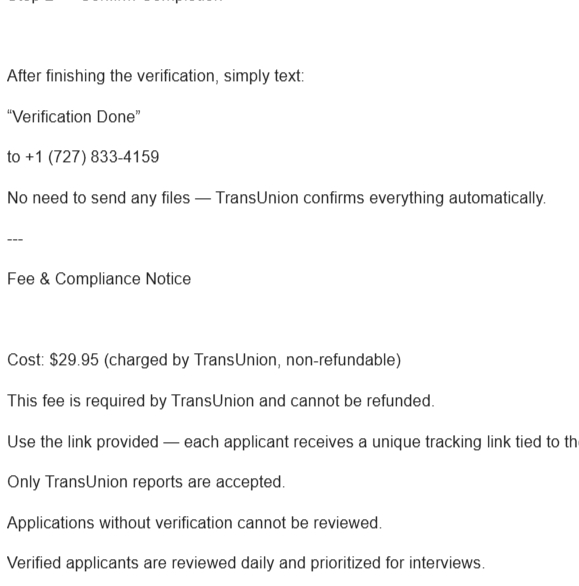
“Pay upfront”: If you’re asked to pay a processing fee to “secure your job”, that’s a classic scam. Legit employers won’t ask.
A very generic job description, like “Work from home, $3,000/week, flexible hours”, with zero details about what you’ll actually do.
A recruiter or poster pressing you to commit now, or telling you “you’re hired” before any interview.
Requests for private personal info: full SSN / bank account / passport scans before any formal offer.
Sender email uses a free domain like Gmail/Yahoo rather than a corporate one.
The message is poorly written, has odd grammar or inconsistent location or timing info.
Entire process happens via text chat/WhatsApp with no formal video or phone interview.
How to verify a LinkedIn job posting step-by-step
Let’s walk through what you should do, in practical steps, before you hit “Apply”.
1. Check the company page
Go to LinkedIn > the company profile. See if they have a website link, verified address, and recent posts.
Do the employee profiles match the company domain? For example, if the company is “Acme Corp”, do people have name@acmecorp.com emails?
On the company website, can you find the role (or a generic statement like “We’re hiring”) matching the job posting?
Bonus: use Google to search the company + “scam” or “reviews” and see what comes up.
2. Inspect the job poster
Click the person who posted the job. Check their work history, how many connections they have, how long they’ve been on LinkedIn.
Check for mutual connections or ask someone you know in your network if they know them.
If the recruiter says “I work at Acme Corp” but their profile shows little or no LinkedIn presence, that’s a sign to pause.
3. Visit the official careers page
Search the company’s careers or jobs page. Does this specific role appear there?
If it doesn’t exist, ask the recruiter for the job requisition number or official posting link. Legit companies will provide that.
4. Reverse-search the job description
Copy a sentence from the job post and paste it into Google (within quotes) to see if it shows up elsewhere. If it’s duplicated exactly across many sites, it could be scraped from elsewhere.
If you find multiple versions of the exact text, it may signal a low-quality or mass-posted listing.
5. Ask specific questions before committing
Before you give commitment or personal info, ask:
“Who will interview me, and what are their titles?”
“What does the interview process look like and how long is it?”
“Can you share the full job description and benefits page / link to the company’s careers page?” If the recruiter hesitates or refuses, take that as a warning.
6. Verify the interview is real
Legit interviews will often include a phone or video call. If all you get is text chat or WhatsApp, it’s weak.
Offers should come from a company email domain (for example, hiring@acmecorp.com, not acmecorp123@gmail.com).
Ask for the job offer in writing, and take time to read it and verify.
How to Spot Fake Recruiter Scams on LinkedIn
Here’s a practical YouTube resource you can watch to get visual examples and walk-throughs:
This video shows real-life examples of fake job offers and how scammers build convincing profiles, so you can better protect yourself.
How to protect your data and identity
Your personal information is valuable. Here’s how to safeguard it:
Don’t share your full SSN, bank account numbers, or passport scans until you have a verified offer and the company’s official HR process has been confirmed.
Consider using a separate email just for job-hunting. This reduces risk and keeps your main inbox cleaner.
Keep a record of all communications: screenshots of job posts, messages, recruiter profiles. If something feels off, report the recruiter and the post to LinkedIn.
If you’ve shared sensitive info and suspect fraud, monitor your credit, consider a fraud alert, and notify local authorities if needed.
What about recruiter messages and InMail?
Receiving an InMail or message from a recruiter on LinkedIn can be a great opportunity, but treat it like you would any outreach:
Legit recruiters will clearly state which company they represent and provide role details.
They should be transparent: which company, what role, what hiring process.
If you’re asked to pay a fee or told “vill only interview via WhatsApp” or “guaranteed placement for $X”, stop and reconsider.
Use LinkedIn’s built-in controls: you can check the recruiter’s profile history, reviews, and connections.
Questions to ask yourself before applying
Before you hit “Apply”, ask:
Is the salary range realistic for the role and my location / market?
Does the role have clear responsibilities and measurable success criteria?
Is the location or remote policy clearly defined? Are the benefits at least explained?
Have I verified the company and the person posting the role through multiple sources (company site, LinkedIn, network)?If you can answer “yes” to these, you’re more likely dealing with a legitimate opportunity.
What to do if you suspect a scam
Stop responding immediately.
Report the post and the user to LinkedIn (use the “Report” option on the job post and the user profile).
Contact the real company (usually via jobs@company.com or security@company.com) to verify if the posting is genuine.
If you shared bank or financial info, monitor your accounts, change passwords, contact your bank and consider filing a report.
How to prioritize legitimate opportunities on LinkedIn
To make your job search efficient and safe:
Use LinkedIn filters: Company, Experience Level, Date Posted, Job Type. This helps you focus on fresh, relevant roles.
Follow companies you’re interested in and turn on job alerts for roles matching your skill set, his gives you a heads-up when new, credible roles are posted.
Network with employees of the company: a referral often filters the real from the fake.
Always cross-check the role on the company’s official site before fully committing.
Save job posts you’re interested in and revisit them after 24-48 hours. If the posting disappears or the recruiter can’t answer basic questions, that’s a cue to move on.
When LinkedIn job listings aren’t the right fit
Sometimes the job isn’t a scam, it’s just a poor fit: perhaps a contract-to-hire gig, vague career path, or agency role with unclear future. In those cases:
If the role doesn’t align with your goals, pass. Better to wait for the right fit than jump into something that doesn’t serve your trajectory.
Tailor your application: highlight how you solve the specific problem the company is advertising.
Keep searching, refining your approach, and maintaining the above verification steps.
Useful Resources
https://www.linkedin.com/help/linkedin/answer/a1336387
Final practical tips
Ask for an interview loop (phone screen > manager interview > team interview). If you don’t get one, pause.
Take screenshots of posts/messages that seem shady.
Trust your gut: if the process feels rushed, vague, or unprofessional, it likely is.
Remember, legitimate recruiters and companies know they’re being watched. They expect you to ask questions too.
For more LinkedIn tips, guides, and strategy insights, follow our updates: