“There was an error processing your payment” on LinkedIn. Here’s why it happens.
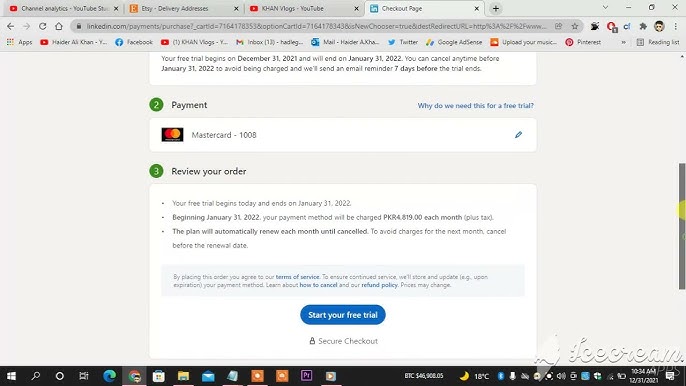
Why LinkedIn Shows “There Was an Error Processing Your Payment”
If you’ve ever tried to pay on LinkedIn and hit this message, you’re not alone. And no, it’s usually not because you did something wrong.
This error is the result of risk systems colliding, not user behavior.
Let’s break it down simply.
What’s actually happening behind the scenes
When you attempt a payment on LinkedIn, three systems talk to each other at once:
LinkedIn’s payment gateway
The card network (Visa, Mastercard, etc.)
Your bank’s fraud and risk engine
If any one of them hesitates, the payment fails.
The 4 most common reasons this error appears
1) Your bank blocked the transaction (most common)
Banks are extremely cautious with:
International merchants
Ad platforms
Sudden or unusual spending patterns
Common triggers:
Online or international payments disabled
Daily limit reached
3D Secure not approved or not triggered
From the bank’s perspective, this looks like a risk. They block first, ask questions later.
2) LinkedIn’s internal risk checks
LinkedIn monitors:
Card country vs account location
Billing address consistency
Number of failed attempts
If something doesn’t line up, or if you retry too many times, LinkedIn may temporarily block the card to protect itself.
This happens a lot with:
New ad accounts
First-time payments
Sudden spend increases
3) Card detail mismatches
Small things matter more than people think:
Slight billing address mismatch
Name formatting differences
Expired card or incorrect CVV
Even if your card works everywhere else, platforms like LinkedIn are stricter.
4) Temporary system issues
Sometimes it’s not you or the bank.
Payment gateway delays
Maintenance windows
Weekend banking lags
These are rare, but real.
What usually fixes it fast
Skip trial and error. Do this instead:
Use a different card (credit beats debit)
Call your bank and approve LinkedIn manually
Wait 24 hours before retrying the same card
Don’t keep retrying repeatedly, that makes things worse
If nothing works, contact LinkedIn.
Go to > Help Centre > Billing & Payments.
Include:
The exact error message and time/date.
Screenshots and your card’s last 4 digits.
A list of steps you’ve already tried (so they don’t send you back to clear cache again).
Ask directly: “Is this issue coming from my account / region / billing settings or is it a card‑authorization failure?”
This gives them the best chance to diagnose.
The important takeaway
This error is not about your credibility. It’s about automated risk systems being overly defensive.
When platforms operate at scale, they optimize for safety first. That friction is the side effect.
The smartest move is not persistence. It’s switching the variable.
Different card. Different approval path. Problem solved.