How to Get More LinkedIn Connections?

(Without looking Spammy)
LinkedIn connections are not just a vanity metric. For founders, executives, recruiters, sales teams, and job seekers, a relevant LinkedIn network increases visibility, unlocks warmer conversations, and improves the odds that the right opportunities show up consistently. The challenge is that most people approach connection growth like a numbers game, and that is exactly how they end up ignored, restricted, or surrounded by low value contacts.
This guide explains how professionals can grow LinkedIn connections the right way, with a profile that earns trust fast, outreach that feels human, follow-ups that respect boundaries, and content that attracts inbound requests. It also includes ready-to-use templates and a tracking framework that works for personal brands and company pages.
Why LinkedIn Connections Matter?
When the network is relevant, it creates measurable upside:
More reach for content: first-degree connections are more likely to see posts, engage, and extend distribution.
More access: connections unlock easier messaging paths and make future introductions smoother.
More signal: a well-curated network helps LinkedIn understand a profile’s niche, which improves the quality of recommendations.
More optionality: hiring, partnerships, speaking invitations, leads, and referrals tend to come from repeated exposure plus trust.
The key is simple: quality beats quantity, especially for professionals operating across different markets like the USA, Canada, and Saudi Arabia where tone, formality, and decision cycles differ.
Step 1: Build a Profile That Makes People Want to Accept
Most connection decisions happen in seconds. Before sending a single request, professionals should tighten the profile basics so the “accept” decision is easy.
Quick profile checklist
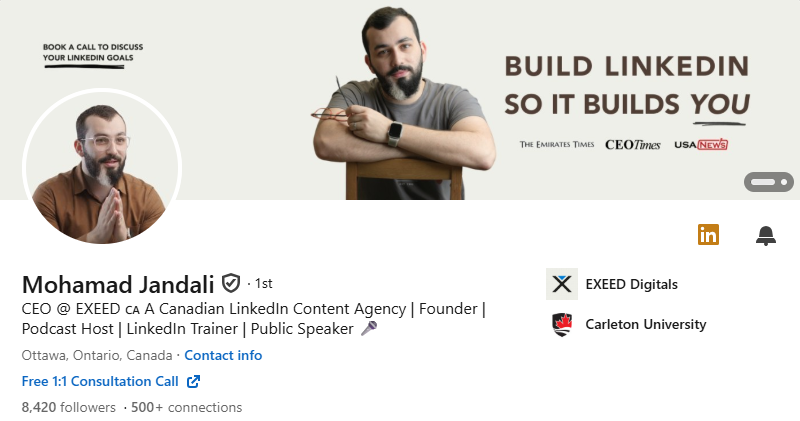
Photo: clear headshot, neutral background, friendly expression.
Banner: role-based or value-based banner, not a random skyline.
Headline: what they do + who they help + credibility cue.
About section: short positioning paragraph, then proof bullets.
Featured section: 2 to 4 strongest assets (lead magnet, case study, portfolio, top post).
Experience: outcomes and scope, not responsibilities only.
Contact info: email and a primary link for credibility.
Headline formulas that fit USA, Canada, and KSA
Founder/Executive: "CEO | Helping [industry] teams achieve [result] through [method]"
Recruiter: "Recruiter | Hiring [roles] across [industry] | Candidate experience-first"
Sales/BD: "B2B Sales | Helping [ICP] reduce [pain] and grow [metric]"
Consultant: "Advisor to [audience] | Specializing in [service] | [Proof or niche]"
Step 2: Decide Who to Connect With (Relevance First)
Professionals grow faster when they pick categories on purpose. A simple rule works well:
Connect where mutual value is plausible within 6 to 12 months.
High-value connection categories
Current and former colleagues, clients, partners
Alumni from universities, bootcamps, professional programs
Event contacts from conferences, webinars, roundtables
Buyers and decision-makers, after light warming up
Recruiters and hiring managers in the target niche
People who consistently post thoughtful content in the same field
A practical targeting map
To keep a network healthy across multiple regions, professionals can segment targets like this:
USA and Canada: role-based targeting (VP, Director, Head of), industry and company size filters
KSA: role plus authority signals (Director, GM, VP, C-level), and ecosystem proximity (Vision 2030 programs, giga-projects, government entities, strategic suppliers)
Step 3: Find the Right People Faster
LinkedIn already provides strong discovery paths:
Search filters: location, industry, current company, past company, school, title
"People also viewed": fast lateral discovery within the same niche
Comments section mining: find active professionals engaging on the exact topics that matter
Groups and hashtag feeds: useful when approached for discussion, not link dumping
Company pages: identify decision-makers by scanning employees and leadership
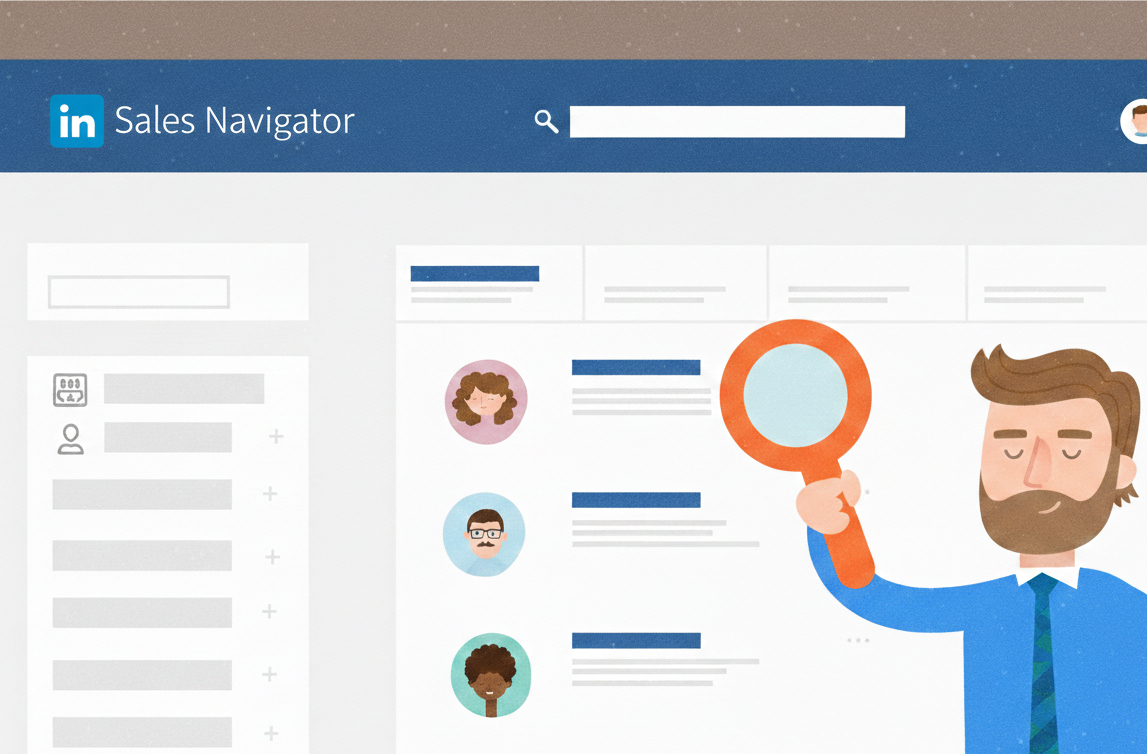
For Sales Navigator users, LinkedIn’s own guidance emphasizes account and buyer targeting, plus thoughtful engagement before asking for a meeting.
Step 4: Send Better Connection Requests (Short, Specific, Human)
Generic invites get ignored. A short personalized note typically performs better because it answers the only question that matters: "Why this connection?"
LinkedIn supports adding a personalized note through the “Personalize invite” flow.
Connection request templates (third-person, ready to paste)
1) After meeting at an event: "Hi [Name], it was a pleasure meeting at [Event]. Would be great to connect and stay in touch."
2) After a webinar or panel: "Hi [Name], appreciated the perspective on [Topic] during [Event]. Open to connecting here?"
3) After engaging with their post: "Hi [Name], the post on [Topic] was useful, especially the point about [Specific detail]. Would be glad to connect."
4) Alumni or shared community: "Hi [Name], noticed the shared connection through [School/Program/Community]. Would be great to connect."
5) Prospecting, soft-touch (no pitch): "Hi [Name], [Role] working with [industry] teams on [area]. Open to connecting and exchanging notes on [topic]?"
6) Recruiting context: "Hi [Name], came across the background in [area]. Open to connecting? It would be great to keep in touch for future opportunities."
A simple personalization rule
A strong note usually includes one of the following:
shared context (event, community, mutual connection)
specific reference (their post, talk, comment)
reason that is not transactional (learning, staying in touch, exchanging notes)
Step 5: Respect LinkedIn's Limits and Safety Signals
LinkedIn enforces invitation restrictions. When an account hits a limit, LinkedIn may temporarily prevent sending invitations, and that wait period typically lasts about a week.
Professionals should also avoid behaviors that look like spam or automation abuse. LinkedIn’s policies are designed to protect users and reduce platform manipulation.
Safer pacing behaviors
Spread invites across the week, avoid sudden spikes
Withdraw low-quality pending invites periodically
Prefer relevance over volume
Avoid aggressive automation and scraping behavior
Use "Follow" first when the relationship is cold, then connect later after engagement
Step 6: What to Say After They Accept (Without Selling)
The fastest way to burn trust is to pitch immediately after acceptance. A better approach is a short thank-you plus an optional conversation opener.
Post-acceptance message templates
1) Simple thank-you: "Thanks for connecting, [Name]. Enjoyed reading about the work in [area]. Wishing continued success."
2) Relationship-first, topic-based: "Thanks for connecting, [Name]. The focus on [topic] stood out. If exchanging notes on [topic] is ever useful, happy to."
3) Lead-friendly, low-friction question: "Thanks for connecting, [Name]. Curious, how is the team currently approaching [challenge]?"
4) Region-aware (USA, Canada, KSA friendly): "Thanks for connecting, [Name]. If it helps to exchange insights on [topic] across [region/industry], happy to connect further here."
Step 7: Follow-Up Without Being Pushy
A respectful follow-up is often the difference between silence and a real conversation. The best follow-ups are short and permission-based.
Follow-up templates
"Hi [Name], quick check-in in case the note got buried. No worries if now is not the right time."
"Hi [Name], one quick thought on [topic]: [one sentence idea]. If helpful, happy to share more."
A good rule is one follow-up, then stop unless the other person re-engages.
Step 8: Use Content to Attract Inbound Connection Requests
Outbound outreach works better when people already recognize the name. That recognition comes from consistent posting and visible engagement.
A simple weekly content rhythm (professional, sustainable)
2 to 4 posts per week
Mix formats: text posts, short videos, document-style carousels
Use 2 to 3 relevant hashtags (not 15)
Add thoughtful comments on posts from target audiences
Content themes that attract the right connections
"What the team learned"(lessons from work, projects, leadership)
"Myth vs reality"(industry misconceptions)
"How-to breakdown" (process explained in simple steps)
"Case reflections" (sanitized outcomes, no confidential data)
"Hiring and culture" (especially for USA/Canada recruiting)
"Market updates" (useful in KSA where sectors move with policy and mega-project cycles)
Step 9: Measure What Matters (Not Just Connection Count)
Connection growth becomes predictable when it is tracked like a pipeline.
KPI table professionals can copy
KPI | What it measures | How to track it | Why it matters |
Weekly relevant connections | Quality network growth | Count new connections in target roles/industries | Prevents “random network” drift |
Invite acceptance rate | Invite quality | Accepted / Sent | Flags targeting or message issues |
Reply rate | Conversation quality | Replies / Accepted | Indicates trust and relevance |
Meaningful conversations | Opportunity creation | Count threads with >3 messages | Better than “any reply” |
Leads/referrals | Business impact | Track source in CRM/sheet | Keeps LinkedIn tied to outcomes |
Content engagement from ICP | Visibility to the right people | Comments/likes from target roles | Strong leading indicator |
Step 10: Company Page Growth (Invites and Community)
For brands, connections still matter, but followers and employee networks are often the bigger lever. LinkedIn pages use invitation credits, renewed monthly, shared across page admins.
Practical company page playbook
Keep a steady posting cadence (even 1 to 2 times weekly beats randomness)
Encourage employee engagement early after posting
Invite relevant personal connections to follow using available page invitation credits
Repurpose leadership posts onto the company page with a different angle
Showcase proof: hiring, milestones, events, customer stories, partner highlights
Where Agencies Fit (Example: EXEED Digitals)
Some teams prefer to scale LinkedIn growth with outside support, especially when content, community management, and outreach need to run consistently while leaders focus on operations.
EXEED Digitals describes itself as a Canadian LinkedIn content agency supporting founders and corporate brands through content, community management, and outreach.
Common Problems and Fast Fixes
Problem: Low acceptance rate
Fix: tighten headline and About section, improve personalization, target more relevant roles.
Problem: Connections accept but never reply
Fix: replace salesy follow-ups with one value-first question or insight.
Problem: The account gets restricted from sending invites
Fix: slow down, focus on engagement and content, avoid spam patterns. LinkedIn notes restrictions typically last about a week.
Problem: Network quality drops over time
Fix: stop accepting everyone, use a clear acceptance rule, and prune irrelevant connections occasionally.
Final Takeaway
Professionals who grow fastest on LinkedIn usually do the same few things well: a credible profile, relevant targeting, short human outreach, respectful follow-ups, and consistent content that demonstrates real thinking. Over time, inbound connection requests rise, outbound acceptance improves, and LinkedIn becomes a reliable channel for opportunities across the USA, Canada, and Saudi Arabia.