Should You Stop Using LinkedIn’s Recruiter Message Template?
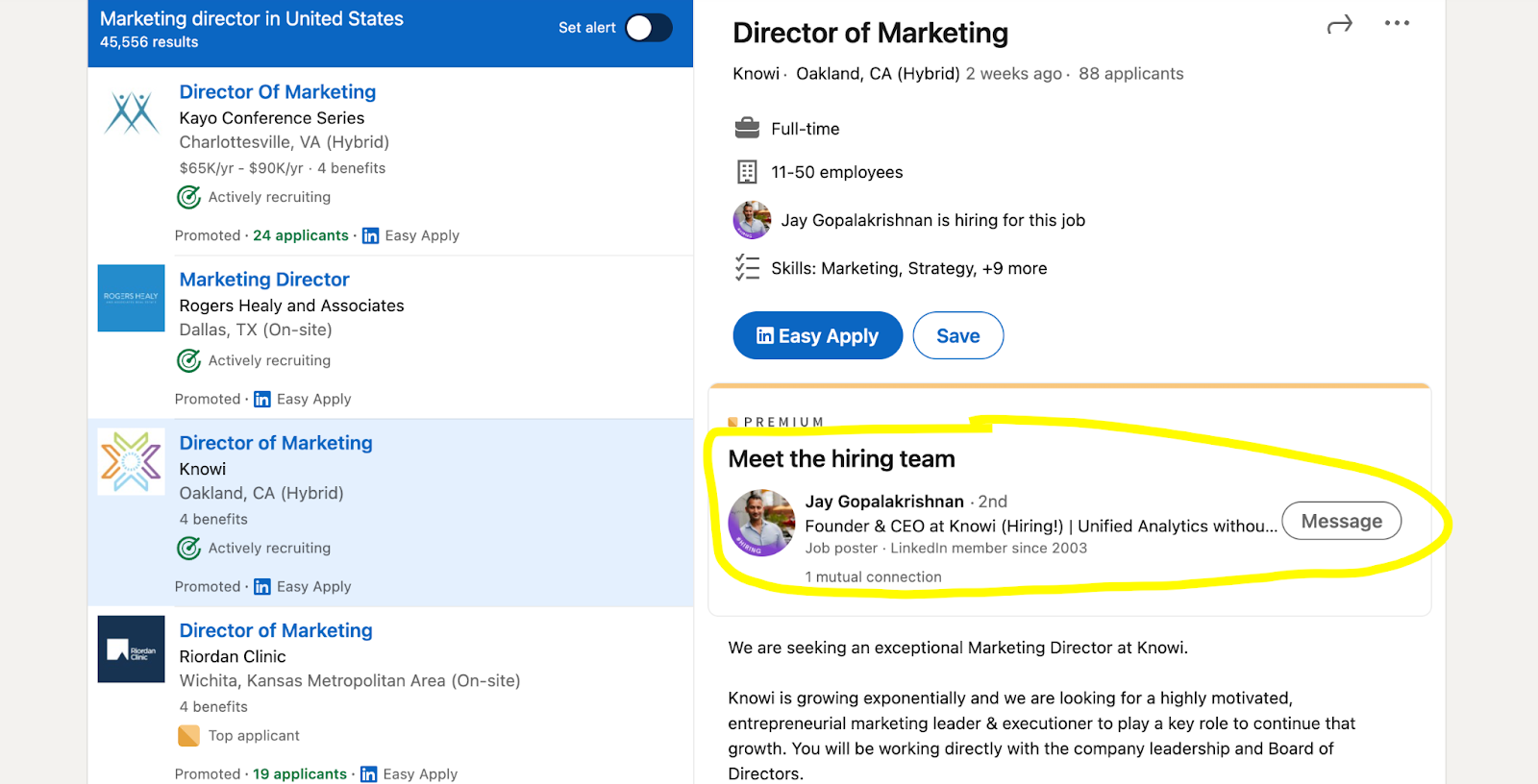
If you’ve ever clicked “Message the recruiter” on a LinkedIn job post, you’ve probably seen the suggested note that pops up, usually along the lines of: “Hi, I saw this role and my experience is a great match. Do you have time for a call?”
It feels efficient, but it often does the opposite of what you want. If you’ve been wondering whether it helps or just annoys the person reading it, your instinct is solid.
Why the LinkedIn recruiter message template often backfires
The default template is written to fit everyone, which is exactly the problem.
To a recruiter, it can read like:
You didn’t personalize anything
You’re asking for time before offering a clear reason
You want to skip the process and jump to a call
None of that makes you “wrong” for using it. It just means the message tends to blend in with hundreds of identical notes, and it creates a subtle burden: the recruiter now has to do extra work to figure out whether replying is worth it.
Recruiters also operate under real constraints. Many are supporting multiple open roles at once, and their days are packed with screening, hiring manager updates, candidate follow-ups, internal meetings, and offer steps. When your message doesn’t give them a quick, specific reason to respond, it’s easy for it to get missed.
If you want a clearer picture of how hiring workflows and recruiting realities work, LinkedIn’s hiring resources are a useful starting point.
What messaging a recruiter is actually for?
Messaging can absolutely help you, but only when the purpose is clear and respectful. Think “easy to answer quickly,” not “please prioritize me.”
Good reasons to message:
Confirm one key detail (remote policy, location flexibility, visa sponsorship, shift pattern)
Share one highly relevant credential that may not be obvious from your CV
Ask about the process or timeline after you’ve applied
Get clarity on what success in the role looks like
Less effective reasons to message:
Asking for “a quick call” as the first message
Saying “I’m a great fit” without a specific signal
Asking something already answered in the job description
Trying to jump the queue without context
A strong LinkedIn recruiter message is short, specific, and answerable in 10 to 15 seconds.
Before you message, check these quickly
If you do this first, you’ll sound like a thoughtful human instead of a template.
Did you apply already? (If not, apply first unless the post says otherwise.)
What is the one overlap that matters most for this role? (Tool, market, industry, level, measurable outcome.)
What is one question that genuinely helps you decide whether to proceed?
Can the recruiter answer without setting up a meeting?
Did you read the posting carefully enough to avoid an obvious question?
If you can’t answer those, pause and tighten your application first.
What to send instead? (examples that still feel human)
Keep it to 4 to 6 lines. Your goal is clarity, not persuasion.
1) Applied + one relevant signal + one question
Hi [Name], I applied for the [Role] today.
Quick context: I’ve worked in [relevant area] and recently [specific result that matches the role].
Can I confirm whether the team is open to candidates in [location/time zone] (or [one key requirement])?
Thanks either way.
2) Acknowledging they’re busy, while staying specific
Hi [Name], I know you’re likely getting a lot of messages about this role. I applied today and wanted to highlight one direct match: [one specific match].
If there’s a target timeline for first-round interviews, I’d appreciate the guidance.
Thank you.
3) Eligibility check (this is genuinely useful)
Hi [Name], quick question on the [Role].
The post mentions [requirement]. I have [your situation].
Is that workable, or should I wait for a different opening?
Appreciate your guidance.
What not to do, even if you’ve seen it recommended
These moves commonly hurt candidates:
Following up the next day with “just checking in.”
Give it at least a week unless the posting is explicitly urgent.Sending a long pitch in messages.
If you have a portfolio, share one link with one line of context.Trying to build rapport like it’s a networking chat.
Keep it professional and role-relevant.Messaging multiple people at the same company with the same note.
It can look spammy fast.Using guilt language like “I’d really appreciate a reply.”
People don’t respond better when they feel pressured.
For messaging structure ideas, HubSpot’s breakdown of effective LinkedIn messages can help, even if you adapt it to job-search context.
A simple 3-step approach that often beats messaging first
If your goal is interviews, not just “sent messages,” this tends to work better.
Step 1: Make your application easy to say yes to
Adjust your headline and top bullets to match the top 3 requirements. You’re not rewriting your entire CV, you’re reducing the recruiter’s effort to connect the dots.
If you want a practical overview of ATS basics and how screening works, Indeed’s guide is a solid reference.
Step 2: Show light, relevant activity
A thoughtful comment on one relevant post per week can go a long way. If a recruiter clicks your profile, seeing real, role-adjacent activity adds credibility.
Step 3: Send a message with one purpose
Applied + specific signal + one question. That’s the formula.
If you already sent the template, you can fix it
You’re not “blacklisted.” Just course-correct with a short, clearer follow-up:
Hi [Name], quick follow-up to my earlier note. I realize LinkedIn’s recruiter message template is generic.
I applied for [Role]; the most relevant overlap is [specific].
One quick question: [your single question].
Thanks either way.
The real takeaway
Recruiters are not saying “don’t message.” They’re saying “don’t waste time.”
When your LinkedIn recruiter message respects that reality and makes the reply easy, you stand out fast, because most people don’t.
Read more on our blog and follow us on LinkedIn: