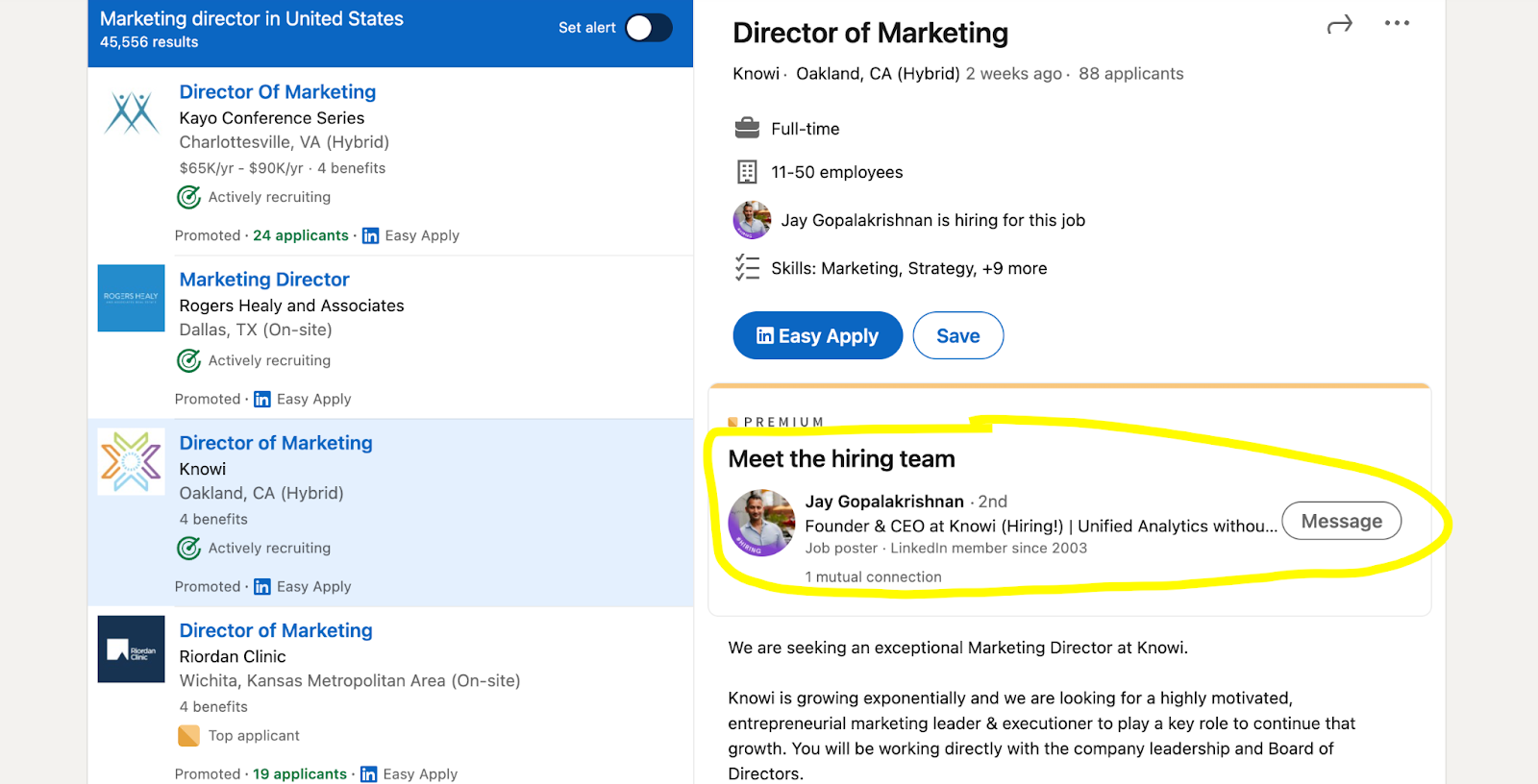
How to Fix LinkedIn Job Post Search for Better Results?

If you’ve noticed that searching for job-related posts inside the LinkedIn Posts tab suddenly shows fewer useful results, you’re not imagining it.
What used to surface a wide variety of hiring posts, sometimes even links that pointed outside the platform, now often shows repetitive content or mostly official job listings.
Here’s a clear breakdown of why this shift may be happening and how you can bring back higher-quality job leads.
What You’re Actually Using, and Why It Matters?
This isn’t about the Jobs tab. It’s about searching:
a keyword like hiring, remote designer, contract role, open position,
switching to Content / Posts
and applying filters such as Job Posts, Date, People, or Location
This workflow is popular because it surfaces the hidden job market, including posts like:
We’re hiring, DM me
Referral available
Looking for someone ASAP
Niche roles not posted on the official job board
When those results become less useful, job seekers lose a significant edge.
Why LinkedIn Search Results May Have Changed?
Although LinkedIn rarely announces search algorithm updates, several likely reasons explain the shift.
1. Increased Focus on Official Job Listings
LinkedIn’s Jobs product is a major revenue driver recruiter tools, paid job promotions, subscriptions.
If the platform wants job discovery to stay within the Jobs ecosystem, it may reduce visibility for informal job posts.
This means:
fewer external links
fewer non-standard hiring posts
more posts that the system can classify reliably
2. A Change in How Posts Are Classified
LinkedIn uses automated classification. If the criteria for what counts as a Job Post changed, posts that once appeared may still exist, but no longer show under that filter.
Posts that may now be excluded:
vague hiring announcements
posts with multiple external links
repetitive or promotional content
3. Tighter Spam Prevention & External Link Reduction
Scammers can use external links, so LinkedIn increasingly deprioritizes posts that send users off-platform.
This improves safety but reduces variety for job seekers.
4. Personalization Shifts
LinkedIn search is highly personalized. Results depend on:
who you follow
what you interact with
Your industry and profile title
your geographic signals
whether LinkedIn thinks you're actively job-seeking
Small changes in your activity can shift the entire search output.
5. Stronger Recency Weight
If LinkedIn increased the importance of freshness, older but high-quality posts disappear faster, leaving:
large-account posts
generic hiring announcements
posts with high early engagement
Questions to Diagnose What’s Happening
Try these quick checks:
Are you searching directly in Posts?
Sometimes, starting in All → switching to Posts gives better coverage.
Which keywords are you using?
Hiring is overloaded. Try more specific role or intent-based words.
Are you filtering by date?
Test Past 24 hours vs. Past week.
Do you follow recruiters or relevant companies?
This influences what LinkedIn thinks you want to see.
How to Get Better Job Posts Again?
1. Use Smarter Keyword Combinations
Try intent-based phrases like:
We’re hiring AND remote
referral AND hiring
DM me AND open role
start ASAP
new headcount
The team is growing
These often reveal posts the Job Posts filter misses.
2. Search Posts Without Using the Job Posts Filter
This often brings back the best hidden roles.
Steps:
Search a keyword
Filter to Posts
Avoid the Job Posts filter
Use Date, People, Connections, Location
Many legitimate opportunities are posted as normal content, not official job listings.
3. Turn Your Feed Into a Job Stream
Follow:
niche recruiters
hiring managers
founders (especially in startups)
staffing agencies that post roles frequently
When you find a good recruiter, check their Activity → Posts.
4. Use Alerts & Saved Searches
Even though alerts are strongest inside the Jobs product, you can still save a daily routine:
search top keywords
filter by recency
Save active posters
LinkedIn job alert instructions
5. Use Google as a LinkedIn Search Engine
Google often surfaces posts that LinkedIn doesn’t show easily.
Try:
site:linkedin.com/posts we're hiring data analyst remote
site:linkedin.com/posts DM me product designer
site:linkedin.com/posts hiring Toronto
6. Validate Posts for Legitimacy
Scams exist, which may be why LinkedIn tightened filters.
Always check:
Is the poster a real employee?
Does the company page look active?
Is the job listed elsewhere?
Are they asking for money or personal info? (red flag)
For Recruiters: Why Your Posts May Not Be Showing
If you’re hiring, your reach may also drop.
Improve visibility by:
posting natively (minimize external links)
Adding complete role details
Getting early engagement from employees
using consistent job-search-friendly phrasing
Bottom Line: Can You Bring Back Better Job Results?
You can’t force LinkedIn to revert its algorithm, but you can restore strong job discovery by:
not relying on the Job Posts filter alone
using smarter keywords
following recruiters + hiring managers
using Google to supplement gaps
building a more intentional LinkedIn routine
Read more on our blog and follow us on LinkedIn:
_